

TBS2000B Digital Storage Oscilloscope
- ModelTBS2000B
- AttributesDigital Storage Oscilloscope
- Category TEKTRONIX > TBS Series Oscilloscope
- BrandTEKTRONIX
- Description9-inch WVGA color display with 15 horizontal divisions increases signal view by 50%. TekVPI probe interface supports active, differential and current probes with auto scaling and units. New front-end design for more accurate measurements. 32 automatic mea
Detailed Introduction Technical Documents
The TBS2000B Series oscilloscopes feature a 9-inch WVGA display, 5 million-point record length and 2 GS/s sample rate, which can capture and display significantly more signals to help you debug and verify designs faster. The new on-waveform cursor readings and 32 automated measurements enable you to analyze signals easily and confidently, and every function comes with informative tips. The TekVPI® probe interface not only supports traditional passive BNC probes, but also supports the latest active voltage probes and current probes, delivering an extremely wide range of applications.
Key Specifications
Available in 2-channel and 4-channel analog models
Bandwidth options of 200 MHz, 100 MHz and 70 MHz, with up to 2 GS/s sample rate
5 M record length on all channels
5-year warranty
Key Features
9-inch WVGA color display with 15 horizontal grids displays 50% more signal
TekVPI probe interface supports active probes, differential probes and current probes, with automatic probe scaling and units
New front-end design enables more accurate measurements
32 automated measurements and FFT functionality for fast waveform analysis
Search and mark functions make it easy to identify events in acquired waveforms
HelpEverywhere® provides helpful on-screen tips for new users
Built-in oscilloscope introduction manual provides operation instructions and oscilloscope basics
User interface and front panel labeling are available in 10 languages
Connectivity
USB 2.0 host port on the front panel for quick and easy data storage
USB 2.0 device port on the rear panel for easy connection to PC
10/100BASE-T Ethernet port for remote control via LAN
Wi-Fi interface provides wireless communication capability1
Education
Tutorial function provides experiment exercise guidance on the display
Fully compatible with TekSmartLab experiment management software for educational applications
Allows disabling of automatic settings, cursors and automatic measurements to help educators teach basic concepts to students
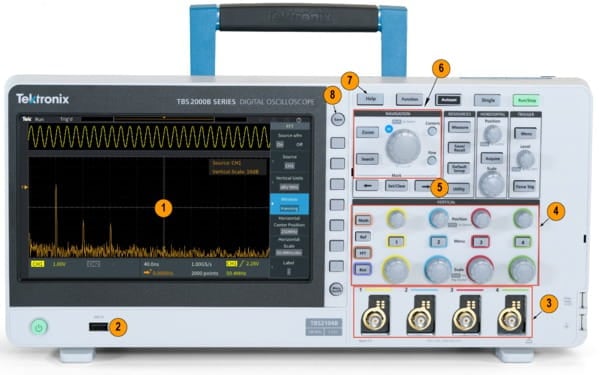 TBS2000B Front Panel
| Image Reference | Description |
|---|---|
| 1 | 9-inch large display |
| 2 | USB port for save/recall |
| 3 | TekVPI probe interface, compatible with passive and active probes |
| 4 | Dedicated control knob per channel |
| Image Reference | Description |
|---|---|
| 5 | Search for events of interest |
| 6 | Multi-purpose knob for navigation, zooming and cursor control |
| 7 | Function help |
| 8 | One-touch Save |
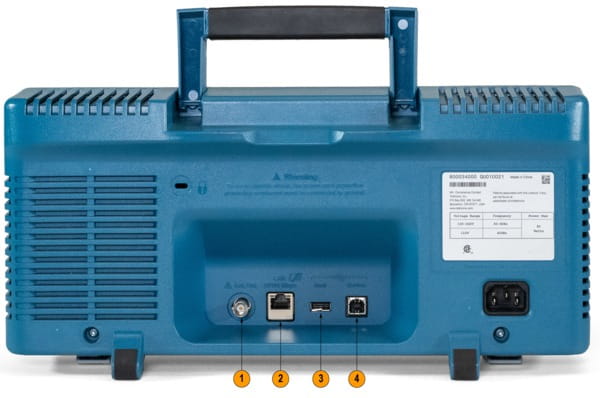 TBS2000B Rear Panel
| Reference | Description |
|---|---|
| 1 | Auxiliary Output Signal |
| 2 | Ethernet for Remote Connection |
| 3 | USB Port for WiFi Connection |
| 4 | USB TMC for Remote Connection |
Professional Design for Easier Work
The TBS2000B Series is designed for simple operation and quick hands-on learning. Dedicated control functions provide quick access to key settings, allowing you to evaluate signals faster. The TBS2000B features 10 vertical divisions and 15 horizontal divisions, enabling you to view more signal information. The large display also provides more space for measurement results and menu information.
The zoom function allows you to quickly scroll through acquired records and zoom in to view signal details. The new on-screen cursors overlay cursor measurements directly on the display, making readings very intuitive to read and interpret.
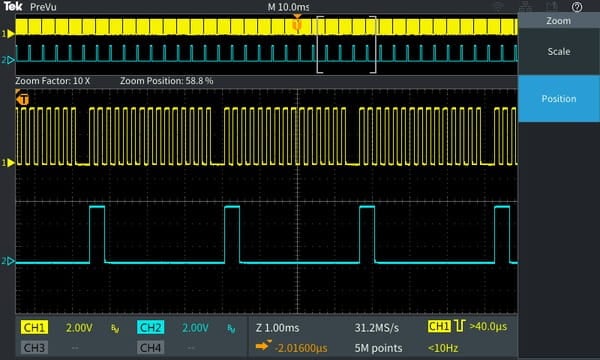 In zoom mode, the upper half of the display shows an overview of the entire acquired record, and the lower half displays the detailed zoomed-in view.
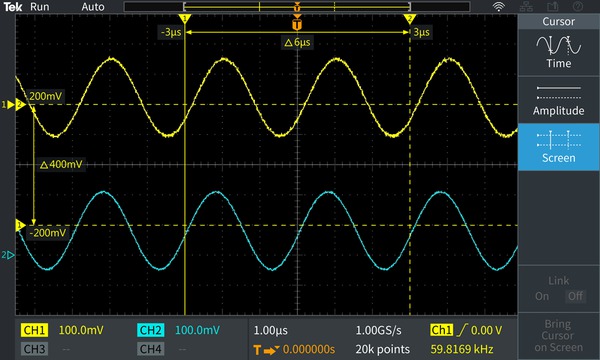 Cursor readings are displayed directly on the waveform display. Cursors can be used to measure time and amplitude.
Multi-function Trigger and Acquisition Modes
The trigger system is designed for debugging today's mixed signal designs. In addition to basic edge triggering, it also includes pulse width triggering and runt pulse triggering, which are especially suitable for debugging the digital portion of your design. Pulse width triggering is ideal for locating narrow glitches or timeout conditions. Runt pulse triggering is designed to capture signals with amplitude shorter than the expected amplitude.
This instrument offers multiple acquisition modes. The default acquisition mode is sample mode, which suits most applications. Peak detect mode is used to locate spikes, and average mode helps reduce noise on repetitive signals.
Quick Search for Events of Interest
The search button allows you to quickly set search criteria based on your trigger settings. Search markers highlight all time points where events of interest occur during acquisition. Dedicated navigation buttons let you easily navigate to each occurrence of the event for in-depth inspection and analysis.
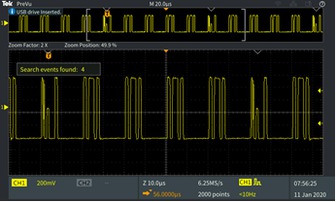 Search and Markers
Search for events of interest, then mark these events throughout the entire acquisition.
Automated Measurement Made Easier
The full suite of automated measurements enables quick and convenient testing of various signals and applications.
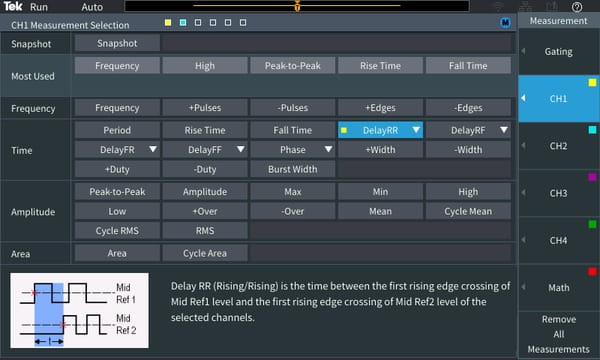 List and select all measurements on one screen.
Measurements are divided into four categories: frequency, time, amplitude and area. All measurements are displayed on a single measurement selection screen, allowing you to easily select 32 automated measurements without browsing through various menus. Measurements are color-coded by source and displayed on a transparent background, so the waveform will not be blocked by measurement readouts. The HelpEverywhere® system provides tips for each measurement, making it easier to know which measurement to use and understand the measurement results.
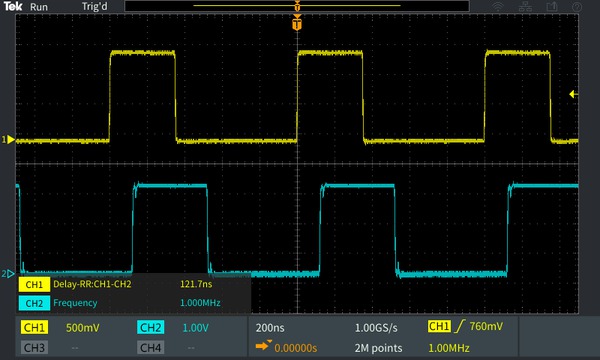 Measurements are transparent, so they will not block the waveform.
FFT Function
Press the dedicated FFT button on the front panel to enable the FFT function and analyze the frequency components of the signal. You can choose to display only the FFT result, or turn on the source waveform display to view frequency-domain and time-domain waveforms at the same time. The transparent readout shows important settings without obstructing the FFT display.
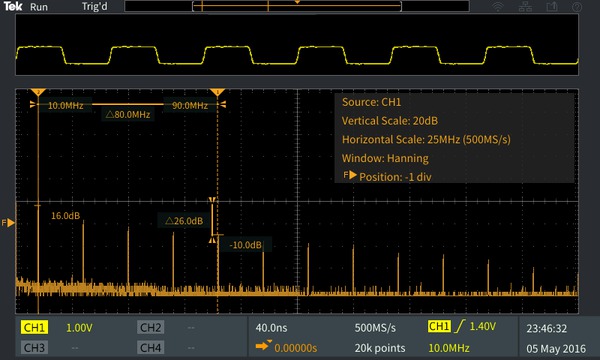 The time-domain source waveform can be displayed above the FFT frequency spectrum.
TekVPI® Interface and Active Probe Support
The TekVPI probe interface sets the industry standard for probing usability. Through this interface, TBS2000B Series oscilloscopes support a variety of the latest voltage probes and current probes, covering many application scenarios. These probes are powered via the VPI interface and communicate with TBS2000B. Scale factors and status information (such as error conditions) are sent to the instrument for processing and display, so you don't need to manually set scale factors, calculate offset, or degauss current probes.
The brand-new front-end design and higher sampling rate of 2GS/s reduce noise, increase effective number of bits, and improve measurement accuracy.
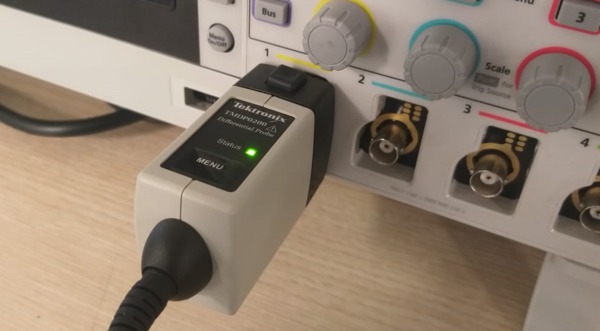 TekVPI probes transmit scaling settings, range and status to the TBS2000B.
Solutions Supporting Wireless Communication
Multiple communication ports are located on the rear panel of the instrument. The USB device port or LAN port allows you to control the instrument using a fully documented command set.
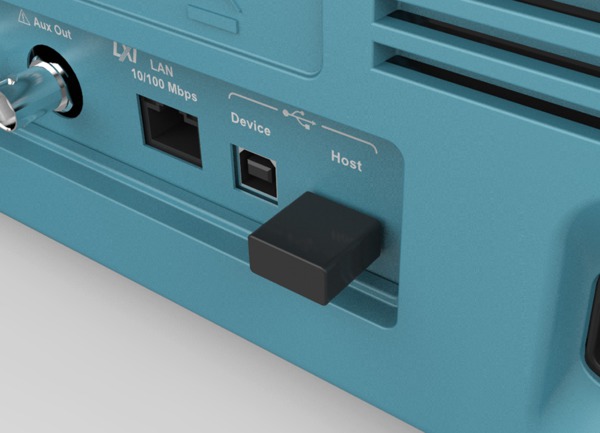 The Wi-Fi adapter is configured via the integrated settings menu, enabling seamless communication.
The TBS2000B is a wireless communication-enabled oscilloscope. Insert a compatible Wi-Fi dongle into the USB host port, and configure the Wi-Fi interface from the front panel.
Built-in Tips for Faster Configuration
HelpEverywhere® is an exclusive feature on the TBS2000B. It displays real-time help information when you navigate through the main menus. Tips include measurement information, application tips, and general guidance in text and graphical formats. You can choose to enable or disable the tips from the HelpEverywhere® menu.
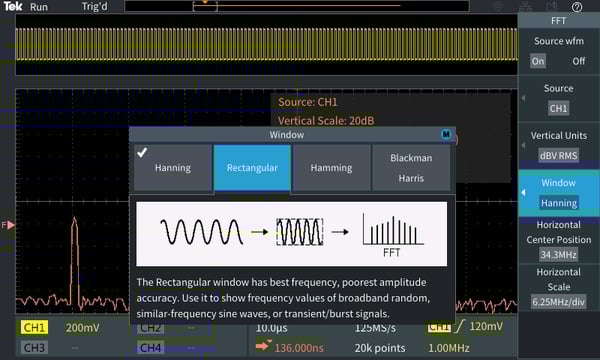 HelpEverywhere® Tips explain important settings.
Innovative New Educational Solution
TBS2000B provides a variety of new ways for educators to spend more time teaching circuit concepts, rather than focusing on experiment setup and management.
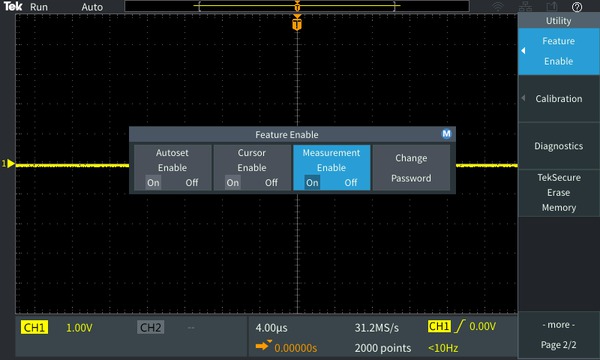 Educational Features
Educators can disable auto-setup, cursors and automatic measurements on the instrument to teach basic concepts to students, helping them learn how to use the instrument's horizontal and vertical controls to get a waveform display, measure time and voltage using the grid, manually plot and calculate signal characteristics.
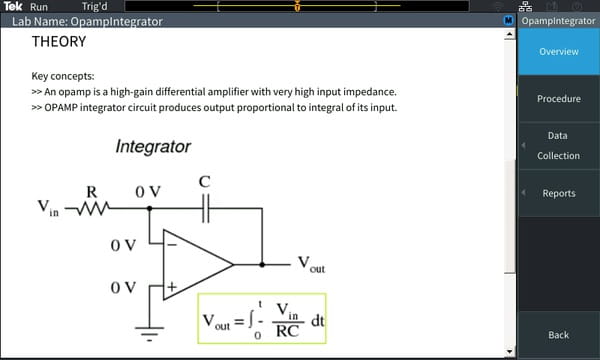 The courseware feature allows students to view experiment information on the instrument display.
The integrated courseware feature allows instructors to load experiment exercises into the instrument, provide guidance to students at each station, and offers a structured framework for students to capture data and include it in their reports.Tektronix Courseware Resource Center provides more than 100 downloadable experiment exercise samples.
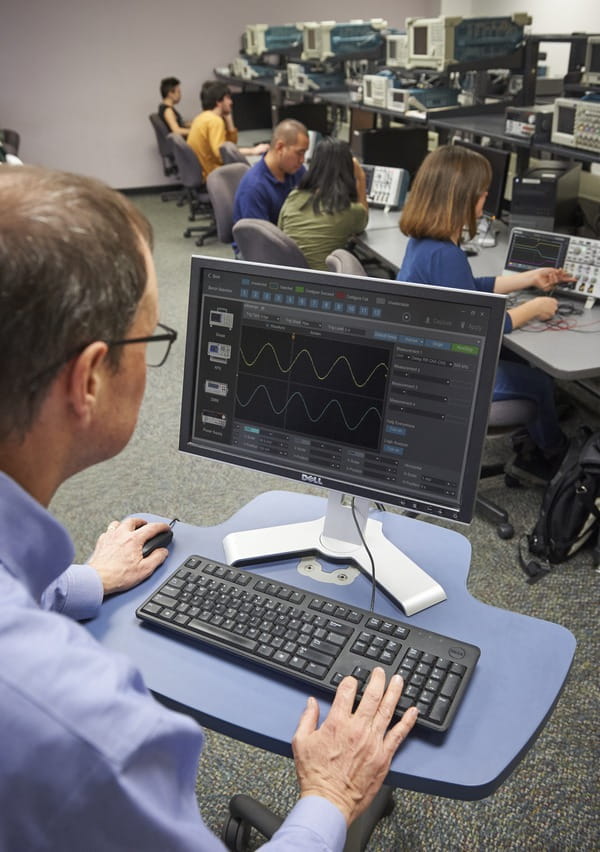
The TBS2000B can be easily integrated into the TekSmartLab system. After integration, educational institutions can pre-configure an instrument-equipped lab with just a few clicks, and lab instructors can track each student's progress from a central workstation.
On-Screen Oscilloscope Fundamentals
An introductory oscilloscope manual is embedded in the TBS2000B help system. Press the front-panel Function button to access content covering basic oscilloscope operation, as well as the TBS2000B and TekSmartLab lab management system for educational applications.
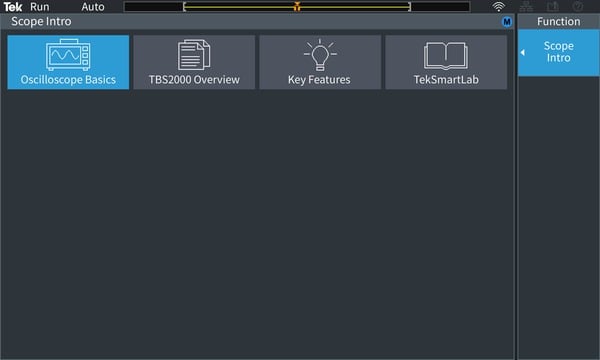
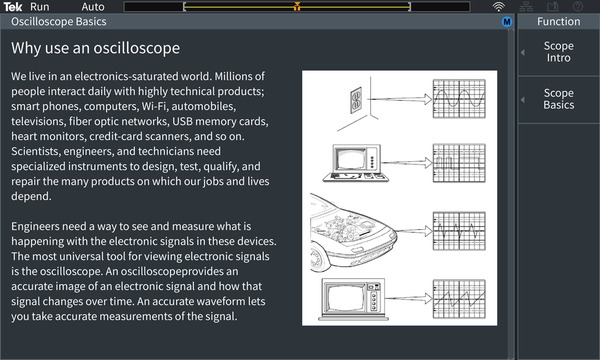 Scope Intro (Introduction to Oscilloscopes) covers basic oscilloscope operation and how to use the TBS2000B.
TekScope
TekScope software enables you to easily transfer data directly from your oscilloscope to PC for offline analysis, thus extending the capabilities of your instrument. With this remote analysis software package for benchtop oscilloscopes, you can run protocol decoding on the most common buses (I2C, SPI, CAN, CAN-FD, LIN and UART), use advanced analysis functions including measurement, trend, histogram, search and marking, and perform offline waveform analysis — all within a single user environment that is consistent with our high-performance instruments.
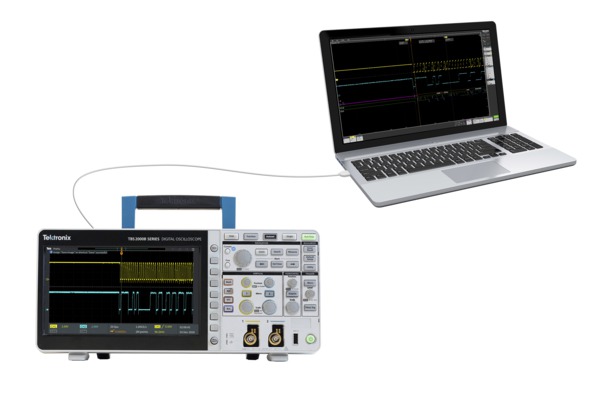 Waveform Analysis with TekScope on PC
TekBench
TekBench™ is PC-based software for controlling Tektronix oscilloscopes and arbitrary function generators. It delivers intuitive instrument control, automatic measurement data logging, automated frequency response measurement, and simplified waveform export in required formats, eliminating extra time and work. Users can focus on their experiments instead of learning how to operate instruments.
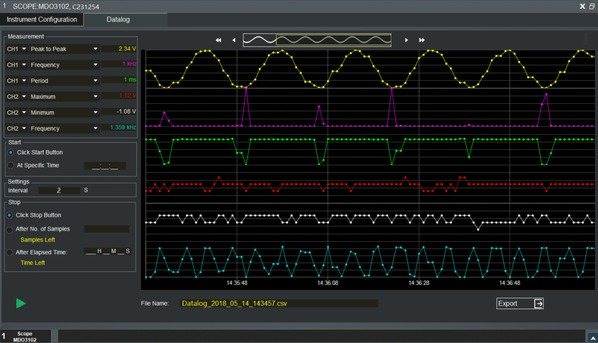 TekBench
PC Connectivity
Easily capture, save and analyze measurement results by connecting your PC to the USB device port on the rear of the instrument and using the OpenChoice® PC communication software available from the Tektronix website. It is simple to drag screen images and waveform data into a standalone desktop application or directly into Microsoft Word and Excel.
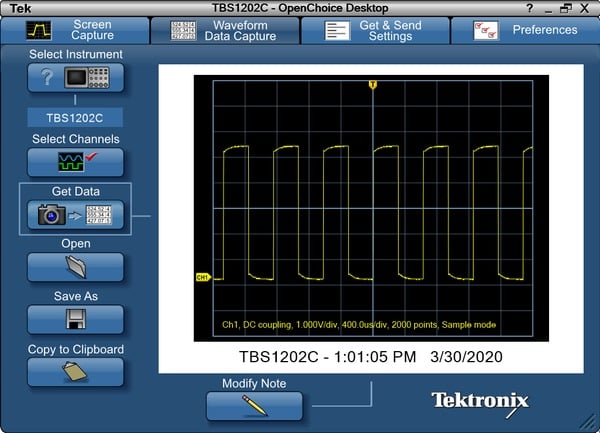 OpenChoice Desktop
Kickstart
Kickstart software provides benchtop instrument control, automatic data acquisition and measurement recording for multiple instruments on a single workstation. The collected data can be graphed for deeper insights, and can also be exported in multiple formats for further analysis. It supports oscilloscopes, digital multimeters (DMM), power supplies and source measurement units (SMU).
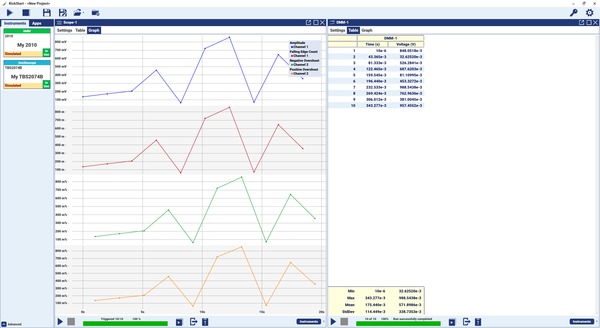 Use Kickstart to control multiple instruments and perform data recording
